Outlook
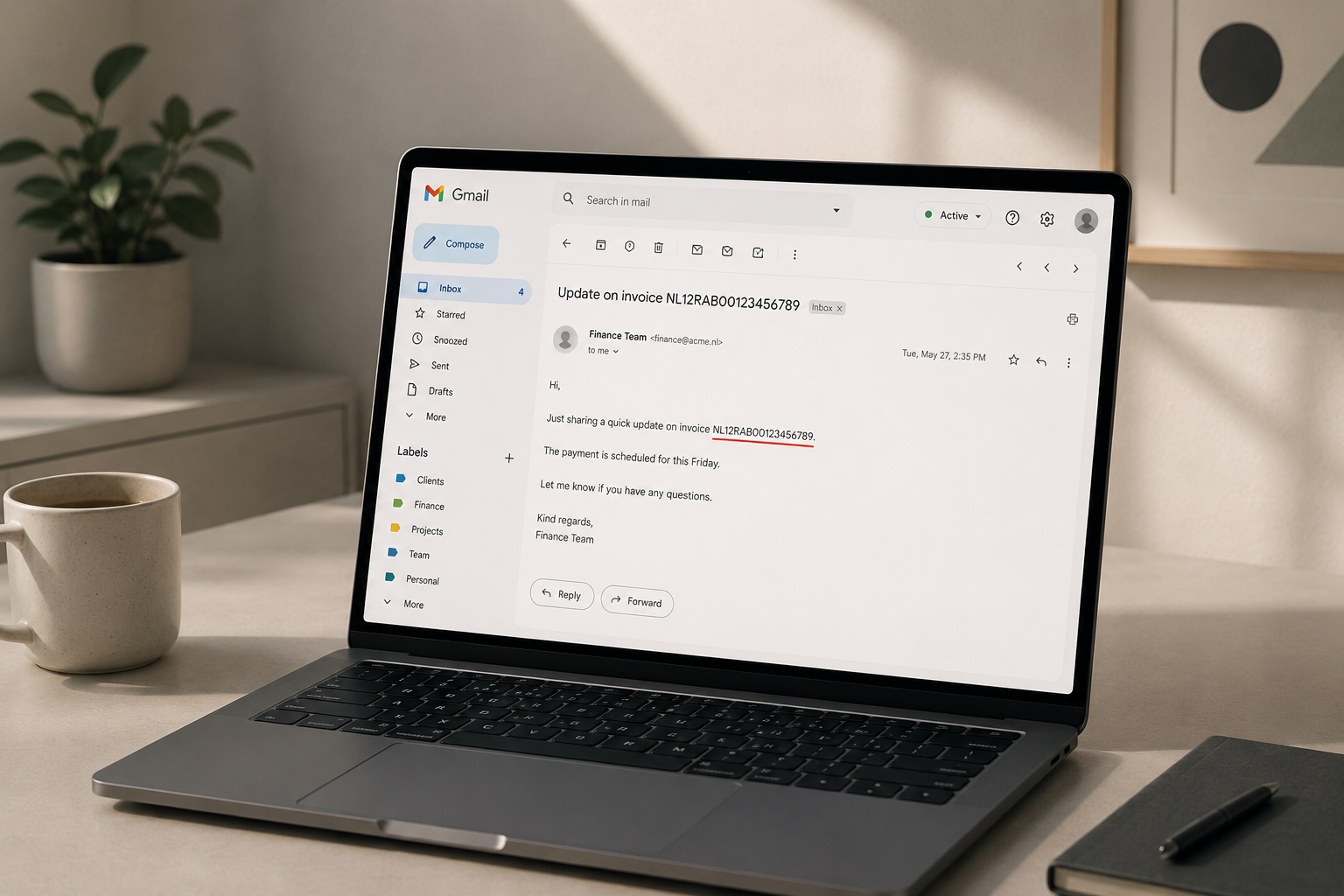
An employee at a law firm opens a new email to send a client file to their colleague Mark. Outlook autocompletes the address. She does not notice the suggestion matches a former colleague who left eighteen months ago. The email, containing a client BSN number and a confidential settlement amount, is delivered to the wrong inbox before she reaches the office door.
Across town, a team manager replies to a meeting invitation. He clicks Reply All. Buried three messages back in the thread, a note from HR lists the salaries of two colleagues who were part of the room booking.
These are not rare failures. They are the most common kind.
Is Outlook safe for business data?
Outlook can be configured to meet enterprise security standards, and Microsoft invests significantly in platform-level security controls. But the biggest privacy risks in Outlook do not come from Microsoft - they come from the email moment itself. Autocomplete, Reply All, CC instead of BCC, a forwarded thread, the wrong attachment from the downloads folder. Settings reduce systematic risk, but they cannot protect against a decision made in two seconds.
How Outlook handles your data
Not all versions of Outlook are the same, and the differences matter for privacy.
| Feature | Classic Outlook | New Outlook | Outlook.com |
|---|---|---|---|
| Mail storage | Local PST or Exchange server | Microsoft cloud (Exchange Online) | Microsoft consumer cloud |
| Credential sync | No | Yes, for linked IMAP accounts | Account-bound |
| AI features | Limited, optional | Copilot integrated | Restricted |
| Admin control | Full via Exchange Admin Center | Full via M365 Admin Center | None |
Classic Outlook (the desktop application) stores mail locally or on an Exchange server. It has the fewest cloud-sync implications by default.
New Outlook (released 2024, increasingly the default) syncs all mail to Exchange Online and - critically - stores the login credentials of any linked external accounts (such as a personal Gmail) on Microsoft infrastructure. This is a meaningful change that most end users are not aware of.
Outlook.com is a consumer service. Its data terms differ from Microsoft 365 business accounts. Employees who connect a personal Outlook.com account to a work device may be mixing data under different privacy policies without realising it.
Copilot in Outlook has access to the full mailbox when organisation-level permissions are granted via the Microsoft 365 Admin Center. In 2025, a bug allowed Copilot to summarise emails labelled as confidential, bypassing sensitivity label restrictions that were meant to protect them. This was patched, but it illustrates how AI access to mail data creates a risk surface that did not exist in earlier versions.
The nine biggest privacy risks in Outlook
1. Autocomplete fills in the wrong address
Outlook suggests addresses based on your contact history, including people who have left the organisation, external partners from previous projects, and contacts with similar names. The suggestion appears before you finish typing. One tab or enter key is all it takes.
2. Reply All exposes a sensitive thread
When a message arrives via a distribution list or was sent to a wide CC group, clicking Reply All sends your response to everyone who was included - including recipients you may never have intended to reach. Older messages in the thread may contain context those recipients have no reason to see.
3. CC instead of BCC in group emails
Sending a message to a large group via CC exposes every recipient's email address to every other recipient. When those addresses belong to clients, patients, employees under investigation, or members of a protected category, this is a data breach. The ICO received hundreds of reports of this exact failure in 2023 alone.
4. Sensitive data in the subject line
Subject lines appear in desktop notification banners, mobile lock screens, shared displays in meeting rooms, and forwarded message previews. A subject line reading "Urgent: BSN 384920173 - tax file" is readable by anyone near a screen - and is transmitted in plaintext in many email systems.
5. Wrong attachment
Attaching a file from a downloads folder where multiple versions exist, or attaching a spreadsheet that contains more data than intended (hidden columns, deleted-but-not-cleared rows, tracked changes showing earlier drafts) sends information the recipient was never meant to receive.
6. Forwarded email chains
Forwarding a message carries the entire thread. Earlier messages may contain salary figures, internal legal advice, names and case references, or confidential decisions made weeks before the current conversation. Most people do not scroll back before forwarding.
7. Work email on personal devices without MDM
Employees who sync work email to a personal phone or laptop typically do so without Mobile Device Management controls. If the device is lost, stolen, or passed on to a family member, the email data goes with it.
8. Copilot summarising confidential emails
When Copilot is enabled at organisation level, it can access and summarise any email in the mailbox - including those labelled confidential. Unless administrators have reviewed Copilot access settings, AI may be processing sensitive content that policy intended to restrict.
9. Linked non-work accounts in New Outlook
New Outlook allows users to add personal Gmail or other IMAP accounts to the same interface as their work inbox. When this is done, the credentials for the personal account are stored on Microsoft servers. Personal and professional email data become harder to separate, and personal account data falls partly under Microsoft's infrastructure.
Each of these situations has caused real incidents in organisations that believed their Outlook deployment was properly managed.
What an email mistake costs the organisation
When an email reaches the wrong recipient, the consequences range from uncomfortable to serious.
Under GDPR, a misdirected email containing personal data - a name and an identification number, health information, financial account details, or data about a child - can constitute a personal data breach. Organisations are required to assess every breach: if there is a risk to the rights and freedoms of natural persons, the supervisory authority must be notified within 72 hours of becoming aware of the incident. In the UK, this means the ICO; in EU member states, the relevant national DPA.
Fines under GDPR can reach €20 million or 4% of global annual turnover, whichever is higher. The liability rests with the organisation, not the individual employee - unless the employee acted with intent or gross negligence.
Beyond regulatory exposure: a misdirected email to a client, patient, or business partner creates reputational damage that is difficult to contain. In healthcare, legal, and HR contexts, the damage can be severe and immediate.
Outlook incidents that made the news
2021 - UK Ministry of Defence
An official sent an email containing the names and contact details of 265 Afghan nationals who had worked with British forces, listing their addresses in CC rather than BCC. The recipients could see each other's details, creating a serious risk to the individuals named. The ICO investigated and concluded the breach put lives at risk. Source: BBC News, September 2021.
2023 - Storm-0558
Microsoft disclosed that threat actors had gained access to approximately 25 Exchange Online accounts at US government agencies and other organisations, using forged authentication tokens to access email without requiring passwords. The breach went undetected for approximately a month before Microsoft was alerted. Source: Microsoft MSRC, July 2023.
2024–2025 - ToddyCat APT
Security researchers identified that the ToddyCat threat group had evolved its toolkit to include "TomBerBill," a tool designed to exfiltrate Outlook mail archives and Microsoft 365 access tokens from targeted organisations. The attacks focused on corporate Exchange environments and cloud-connected accounts. Source: CSO Online, 2025.
March 2025 - US House of Representatives Copilot ban
The House of Representatives prohibited staff from using Microsoft Copilot, citing concerns that the tool could expose sensitive legislative and constituent data to Microsoft cloud infrastructure. The decision reflected concerns shared by enterprise security teams globally about the scope of Copilot's mailbox access. Source: multiple US technology press reports, March 2025.
The common thread across these incidents is not a single exploitable vulnerability. It is a combination of human behaviour, configuration decisions, and the speed at which email moves.
What you can set in Outlook and Microsoft 365
Five settings worth reviewing in your Outlook environment:
1. Privacy settings in New Outlook / Outlook on the web Go to: Settings > General > Privacy and data > Privacy settings. You can control whether Microsoft uses your email content to improve products, and limit optional diagnostic data.
2. Disable connected experiences in Microsoft 365 Apps Go to: File > Account > Account Privacy > Manage Settings. Under "Optional connected experiences," toggle off features you do not need. This limits what Microsoft processes for optional AI and cloud capabilities.
3. Apply sensitivity labels before sending If your organisation has Microsoft Purview configured, sensitivity labels appear in the email composition toolbar. Applying "Confidential" or "Highly Confidential" restricts forwarding, printing, and copying by recipients. Note: labels only help if applied before sending, and if the recipient's client respects them.
4. Default to BCC for group emails Outlook does not default to BCC. Build it into the sending process: when emailing a group, open a new message, add yourself or a generic alias in the To field, and paste all other addresses into BCC. Some administrators configure this via group policy for specific distribution scenarios.
5. Disable Copilot at organisation level until reviewed Microsoft 365 Copilot features can be disabled centrally via the Microsoft 365 Admin Center under Settings > Org settings > Services > Copilot. This prevents Copilot from accessing mailboxes until your organisation has reviewed the data access scope and configured it appropriately.
Steps verified in May 2026 with New Outlook (version 2405) and Microsoft 365 Apps for Enterprise.
What no label or rule stops
Settings determine what Outlook and Microsoft can do with your data. They do not determine what an employee types, who they send to, or which file they attach.
No setting prevents a Reply All on a meeting thread. No sensitivity label stops someone from manually typing a client identification number into a subject line. No privacy control intercepts a misdirected autocomplete address before the send button is pressed.
The most common email privacy failures are not configuration failures. They are decisions made quickly, during normal work, by people who are not thinking about privacy at that moment. That is the moment that settings cannot reach.
Before the email leaves
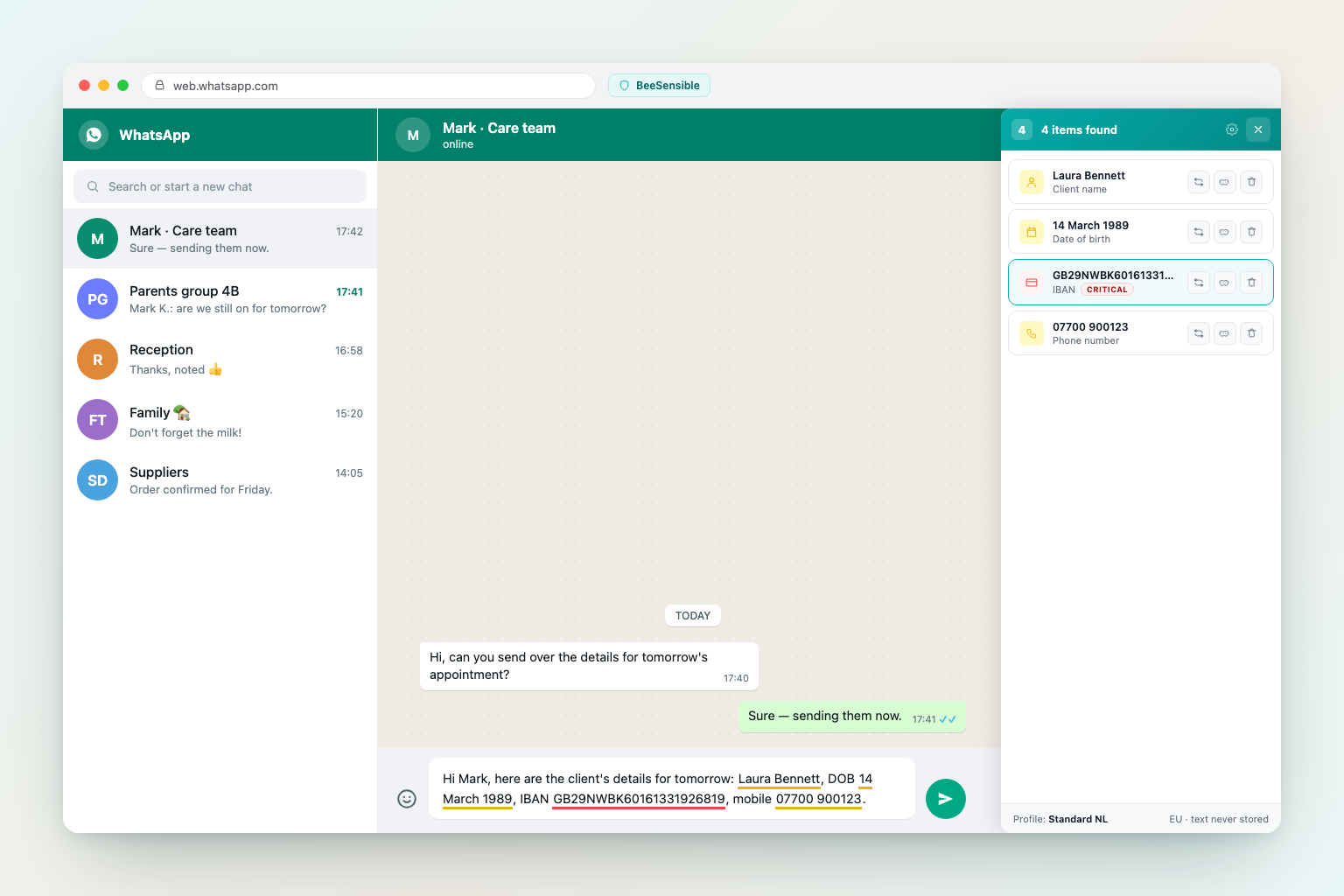
BeeSensible checks personal data in text fields - including email composition windows - as you type. Through the desktop app, detection runs entirely on the device and no text leaves the machine. For browser-only use, the extension sends the text to BeeSensible's EU detection service, where analysis runs in working memory and the text is discarded after detection. When sensitive content appears in the body or subject of a draft, BeeSensible marks it inline and shows a panel listing what it found and how severe it is. The user can delete, replace with a placeholder, or mask the value before clicking Send.