Spell-check for privacy
Blog
Comparisons 12 min read

Zivver or BeeSensible? Two approaches to secure email compared

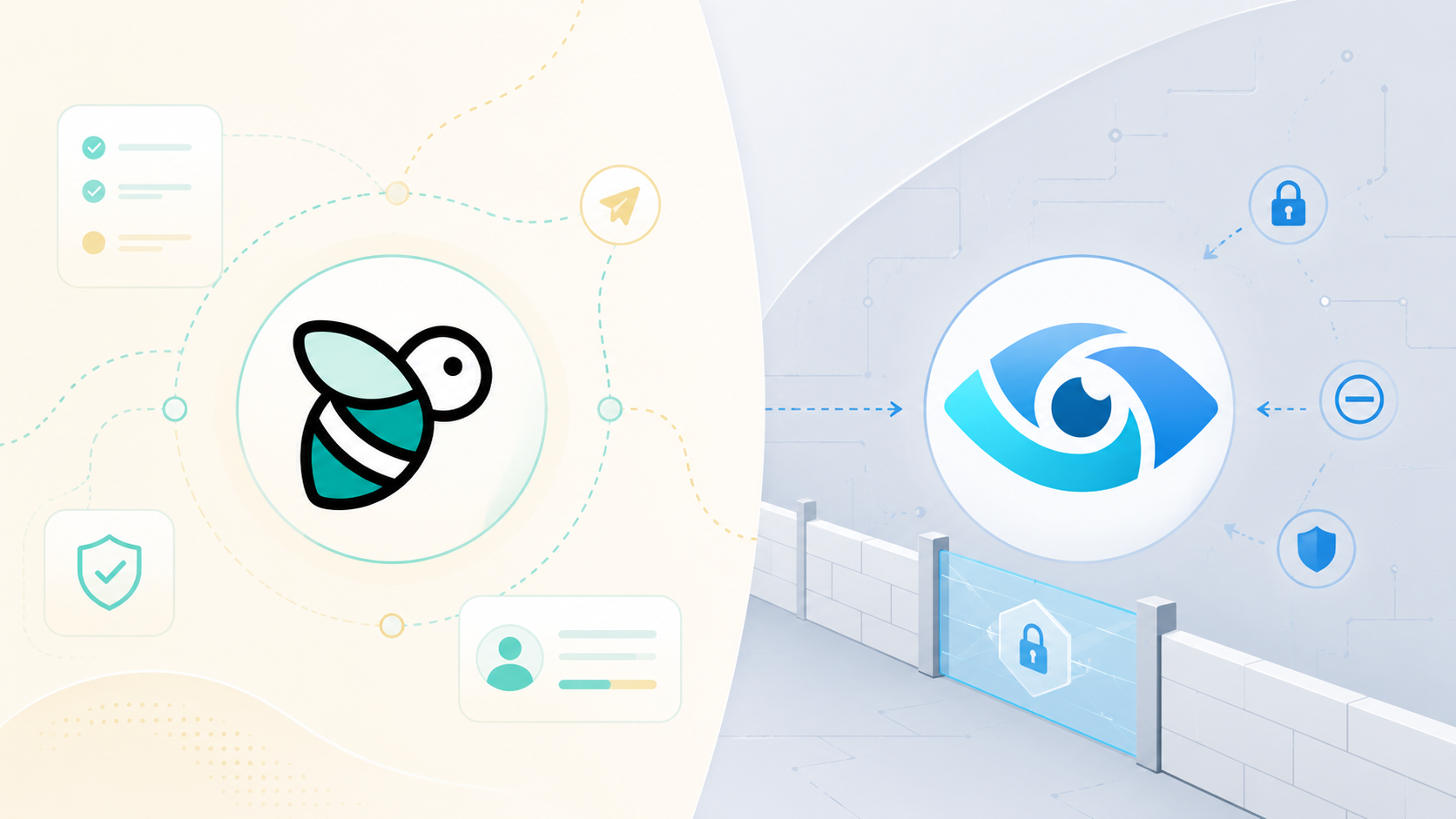
Zivver encrypts what you send. BeeSensible shows what you are about to send. Both are useful, but they work at different moments: Zivver protects the email after you send it, BeeSensible helps before you send it. Which approach fits which problem?

Outlook
New message
Todr.smith@clinic.co.uk
SubjectClient file: Client
BeeSensible highlights sensitive details before send.

The example above is interactive. Click a highlighted value to see your action options.

Quick answer

Zivver is an encryption and security platform that protects emails after they are sent. BeeSensible is a browser extension that highlights sensitive data while you type, before you send. Zivver solves the problem 'how does the recipient keep the email secure?' BeeSensible solves the problem 'what is actually in my draft?' Both are relevant, but they work at different moments and protect against different risks.

01

Zivver focuses on encryption and secure receipt, BeeSensible on awareness before sending

02

Zivver can recall sent emails, BeeSensible prevents you from unintentionally sending personal data

03

Zivver sometimes requires recipient interaction, BeeSensible changes nothing about how the recipient receives the email

04

Zivver is now owned by US-based Kiteworks, with potential CLOUD Act implications

05

The most common email mistakes happen before sending, not after

A healthcare worker wants to send a discharge letter to a patient. She opens Outlook, starts typing, and pastes the name, national ID number, and diagnosis details from the patient file. She selects Zivver encryption and clicks Send. The email is secured.

Three streets away, an HR officer sends an appraisal email to a colleague. At the bottom is accidentally the wrong name, a salary that belongs to someone else, and a passage about a conflict with another team member. The email was not marked for encryption. It is already gone.

Both employees use professional email. Both think their workflow is secure. But the risk was at a different moment: not in the encryption, but in what was in the email.

Two tools, two moments

Zivver and BeeSensible are sometimes mentioned together as solutions for secure email. But they work fundamentally differently.

Zivver is a platform for secure email. It encrypts messages, offers two-factor authentication for recipients, scans attachments for sensitive content, and makes it possible to recall sent emails. Zivver protects the email after you click Send.

BeeSensible is a browser extension that highlights sensitive data while you type. It shows names, account numbers, national ID numbers, medical terms, and other categories in the draft window, so you can remove, replace, or mask them before you send. BeeSensible protects the moment before sending.

This distinction is crucial for choosing the right approach.

AspectZivverBeeSensible
Type of toolEmail security platformBrowser extension
Moment of actionAfter sending (encryption, recall)Before sending (highlighting, awareness)
IntegrationOutlook plugin, Gmail, web portalChrome and Edge extension, works in all web applications
What it solvesUnauthorised access to sent emailsUnintentional sending of sensitive data
Recipient experienceSecure link, verification, portalNo difference, normal email
Main risk it addressesInterception and unauthorised accessHuman sending errors

What Zivver does

Zivver, founded in Amsterdam in 2015, has grown into one of the most widely used solutions for secure email in Dutch healthcare, government, and legal sectors. More than 10,000 organisations use Zivver.

Core features

Encryption: Zivver encrypts emails with AES-256 and offers keyless encryption. Recipients do not need to create a Zivver account: they receive a secure link and verify their identity via a one-time code, password, or email verification.

Misdirected email prevention: Zivver scans emails before sending and warns about potential wrong recipients, misuse of CC/BCC, and sensitive content in attachments. This uses machine learning and AI.

Recall: Sent emails can be recalled, even after the recipient has received them. There is no time limit and the recipient does not need to confirm.

Large files: Zivver supports secure file transfer up to 5TB.

Inbound threat protection: Zivver offers protection against incoming threats such as phishing and malware.

Certifications

Zivver has multiple certifications: SOC2 type 2, ISO 27001, NEN 7510, and Privacy Verified. These are important qualifications for organisations in regulated sectors.

The acquisition: what European organisations need to know

In 2024, Zivver was acquired by Kiteworks, a US company. This acquisition has implications for data sovereignty.

As a US company, Kiteworks falls under the CLOUD Act. This law gives US authorities the power to compel companies to provide access to data they manage, even if that data is physically stored in Europe. For organisations using Zivver for patient data, legal files, or government communications, this is a relevant consideration.

Zivver has responded by emphasising that data remains confidential and that they are working with Kiteworks on strengthening data sovereignty, including through a Private Data Network initiative. The Dutch Data Protection Authority is reportedly investigating the compliance implications.

This is not a judgement on the choice of organisations to continue using Zivver. It is context that IT managers and privacy officers need to make an informed decision.

What BeeSensible does

BeeSensible is a browser extension for Chrome and Edge that highlights sensitive data while you type in web applications. The extension works in email (Outlook on the web, Gmail), AI tools (ChatGPT, Claude), chat (Teams, Slack), and other text input fields.

Core features

Detection while typing: Through the desktop app, detection runs entirely on the device. For browser-only use, the text is sent to BeeSensible's EU detection service where analysis takes place in working memory. The text is discarded after detection. Detected sensitive data is highlighted in the text field.

User action: The employee sees which data has been detected and chooses: remove, replace with a realistic placeholder, or mask. BeeSensible never blocks sending and never automatically changes text.

Dashboard for administrators: Administrators see patterns by category and application without seeing the text or individual users. The dashboard only shows statistics above a threshold of 10 active users.

No content storage: The text that employees type is not stored. Only counts and categories are retained for reporting.

Architecture

  • With the desktop app, detection runs entirely on the device: no cloud
  • For browser-only use, the API is hosted on Scaleway in France
  • Cloud detection runs on Hetzner in Germany
  • All cloud processing within the EU
  • No external AI services are called

The difference in practice

Scenario 1: The misdirected email

Marieke sends an email to jan.jansen@client.com. She meant jan.jansen@partner.com. The email contains project budgets and the name of an internal conflict.

With Zivver: The email is sent encrypted. Jan at the client receives a secure link. If Marieke discovers the error before Jan opens the link, she can recall the email. If Jan has already opened the email, the data has been seen.

With BeeSensible: BeeSensible highlights the sensitive content (names, amounts) while Marieke types. It does not check the email address, the email client does that. But Marieke does see what is sensitive in her draft before she sends.

Conclusion: Zivver offers a safety net after sending. BeeSensible offers awareness before sending. Neither checks addresses, but Zivver can limit damage if the error has already been made.

Scenario 2: The prompt with too much context

Bas pastes a client file into ChatGPT to create a summary. The file contains a national ID number, medical history, and the name of a doctor.

With Zivver: Zivver does nothing, because this is not an email.

With BeeSensible: BeeSensible highlights the national ID, the name, and medical terms in the ChatGPT input field. Bas sees what is sensitive and can choose to remove or replace before he sends the prompt.

Conclusion: Zivver is an email solution. BeeSensible works in all web applications where sensitive data is typed.

Scenario 3: The sensitive attachment

Sandra sends an email with an Excel attachment. The spreadsheet contains hidden columns with salary data she did not intend to share.

With Zivver: Zivver scans attachments for sensitive content and can warn that there is sensitive data in the attachment. The email is sent encrypted.

With BeeSensible: BeeSensible works in text fields, not in attachments. The hidden columns are not detected.

Conclusion: Zivver offers attachment scanning. BeeSensible is limited to text typed in the input field.

Scenario 4: The daily email routine

A customer service team sends dozens of emails per day to clients. Not every email contains special category personal data, but occasionally an ID number, account number, or medical detail slips through.

With Zivver: The team must decide for each email whether Zivver encryption is needed. This requires discipline and assessment per email.

With BeeSensible: BeeSensible automatically highlights when there is sensitive data in the text, regardless of whether the email is encrypted. The team sees it when it is relevant.

Conclusion: BeeSensible works passively and continuously. Zivver requires an active choice per email.

The most common email mistakes happen before sending

Data protection authorities across Europe report year after year that most data breaches via email are caused by human errors: wrong recipient, wrong attachment, CC instead of BCC, forwarded email chain with confidential context.

These are not errors that encryption solves. If you send an email with a national ID number to the wrong person and that email is encrypted, the wrong person still has a secure link to an ID number they should not have seen.

The order of risks in email:

  1. What are you typing? What data is in the email you are composing?
  2. Who are you sending to? Is the address correct? Is everyone in CC intended?
  3. What is attached? Does the attachment contain more than you thought?
  4. Is it protected? Should the email be encrypted? Can the recipient access it?
  5. What if it goes wrong? Can you recall? Who do you need to inform?

Zivver addresses point 2 (warning for wrong recipient), point 3 (attachment scanning), point 4 (encryption), and point 5 (recall).

BeeSensible addresses point 1 (visibility of what you type) and thereby supports better decisions on points 2 and 3.

When to choose what

Choose Zivver when:

  • Your organisation works with sensitive personal data that must be sent encrypted
  • Your recipients outside your organisation do not have access to secure email systems
  • You need the ability to recall sent emails
  • Your organisation works in a sector where specific security certifications are expected
  • You need to send large files securely

Choose BeeSensible when:

  • Your employees regularly type personal data in email, AI tools, or chat
  • You want to reduce the risk that employees unintentionally send sensitive data
  • You are looking for a tool that works in all web applications, not just email
  • You do not want extra steps for recipients (no portals, no verification)
  • You want to create awareness before sending, not just protection after

Use both when:

  • Your organisation needs both awareness before sending and protection of sent emails
  • You work in a sector with strict requirements for both data minimisation and transport security
  • You want employees to see what they are going to send and have the final email encrypted

User experience compared

For the sender

AspectZivverBeeSensible
InstallationOutlook plugin or web portalChrome/Edge extension
Daily useChoose per email whether Zivver encryption is neededHighlights appear automatically when sensitive data is typed
Learning curveMust understand when to apply encryptionWorks passively, user responds to highlights
Impact on workflowExtra step for sensitive emailsNo extra steps unless there are highlights

For the recipient

AspectZivverBeeSensible
Receipt experienceSecure link, verification requiredNormal email, no difference
Account neededNo, but verification yesNo
Access to attachmentsVia Zivver portalNormal as attachment

Pricing model

Zivver

Zivver works with a subscription model per user per year. The exact price depends on the size of the organisation and the chosen package. For teams up to 50 users, there are typically no extra setup costs. Larger organisations receive a custom quote.

BeeSensible

BeeSensible has one paid plan, with prices published openly rather than hidden behind a custom quote. Pro is €5 per user per month billed yearly (€6 billed monthly) and includes every feature, with a free tier for individuals. There is no extra cost for recipients, because BeeSensible has no impact on how emails are received. You pick the number of licences at checkout and the per-user price scales down automatically as the team grows.

Limitations

Zivver

  • Works only for email, not for AI tools, chat, or other web applications
  • Recipients must take an extra step to open secure emails
  • Does not protect against the initial error: if you put wrong data in the email, it is still in the secure email after sending
  • After the Kiteworks acquisition, different legal frameworks may apply than before

BeeSensible

  • Works in text fields (browser, and native apps like Outlook desktop through the desktop app), not in file attachments
  • Does not check email addresses or recipient lists
  • Offers no encryption or recall capability
  • Cannot prevent a user from ignoring a highlight and sending anyway

The regulatory context

European organisations work under the GDPR and, depending on the sector, under additional frameworks such as healthcare regulations, financial services requirements, or sector-specific security standards.

Data protection authorities emphasise consistently that most data breaches are the result of human errors, not technical attacks. The reports they receive are about misdirected emails, CC/BCC errors, forwarded email chains, and wrong attachments.

This does not mean encryption is unimportant. It does mean that encryption alone does not cover the risk. An email that is encrypted with Zivver and sent to the wrong person is still a potentially reportable incident.

The combination of awareness before sending and protection after sending addresses both sides of the risk.

Conclusion

Zivver and BeeSensible are not competitors in the traditional sense. They work at different moments in the email process and protect against different risks.

Zivver protects the transfer and receipt. It encrypts emails, enables recall, and provides a controlled environment for recipients.

BeeSensible protects the moment of composing. It shows which sensitive data is in the text before you send, so you can intervene.

The most common email mistakes, the mistakes that cause most data breaches, happen before sending. No encryption in the world prevents you from sending an ID number to the wrong person. You prevent that by seeing what is in the email before you click Send.

Both tools have their place. The question is not which is better, but which problem you want to solve, and whether you want to address both problems.

Email is fast. That is why it is useful and why most mistakes happen. BeeSensible helps in the moment that Zivver does not reach: the seconds when you are still typing, can still see what is in the email, and can still decide whether it belongs there.

FAQ

Common questions

Can I use Zivver and BeeSensible together?

Yes, the tools work at different moments and complement each other. BeeSensible highlights sensitive data while you type, so you can decide what to remove or mask. Zivver encrypts the final email and gives the recipient secure access. You can use BeeSensible for awareness before sending and Zivver for protection after sending.

Which tool is better for GDPR compliance?

That depends on which risk you want to address. Zivver helps with securing the transfer and receipt. BeeSensible helps with data minimisation and awareness of what you are sending. Under the GDPR, both are relevant: you must take appropriate measures and limit the data in the email to what is necessary. Most data breaches are caused by human errors before sending, not by interception in transit.

Is Zivver safe for European organisations after the acquisition?

Zivver was acquired by US-based Kiteworks in 2024. This means Zivver falls under the CLOUD Act, which can give US authorities access to data even if it is physically stored in Europe. Zivver states that data remains confidential and that they are working with Kiteworks on data sovereignty. European organisations must assess whether this risk is acceptable for their specific context, especially with special category personal data.

What does Zivver do with my email content?

Zivver scans emails before sending to recognise sensitive content and suggest appropriate encryption. The email is stored encrypted on Zivver servers until the recipient opens it. Zivver has certifications including SOC2, ISO 27001 and NEN 7510. After the Kiteworks acquisition, organisations should assess the current legal status and data processing.

Can Zivver stop a misdirected email?

Zivver warns about potential wrong recipients and can recall emails after they are sent. This is useful, but it works retroactively: the email has already been sent, only the access is revoked. If the recipient has already opened the email before recall, the data has already been seen. BeeSensible works differently: it highlights sensitive data while you are still typing in the draft window, so you can intervene before sending.

Does the recipient need an account to open a Zivver email?

No, recipients do not need to create a Zivver account. They receive a notification with a secure link and verify their identity via a one-time code, password, or email verification. This makes receipt low-barrier, but does add extra steps for the recipient compared to a normal email.

See how BeeSensible works

Detect sensitive data before it leaves your team, in any app, in real time.